System Management
Cockpit is the system administration interface for HaLOS. It provides a web-based control panel for managing packages, services, networking, storage, and users.
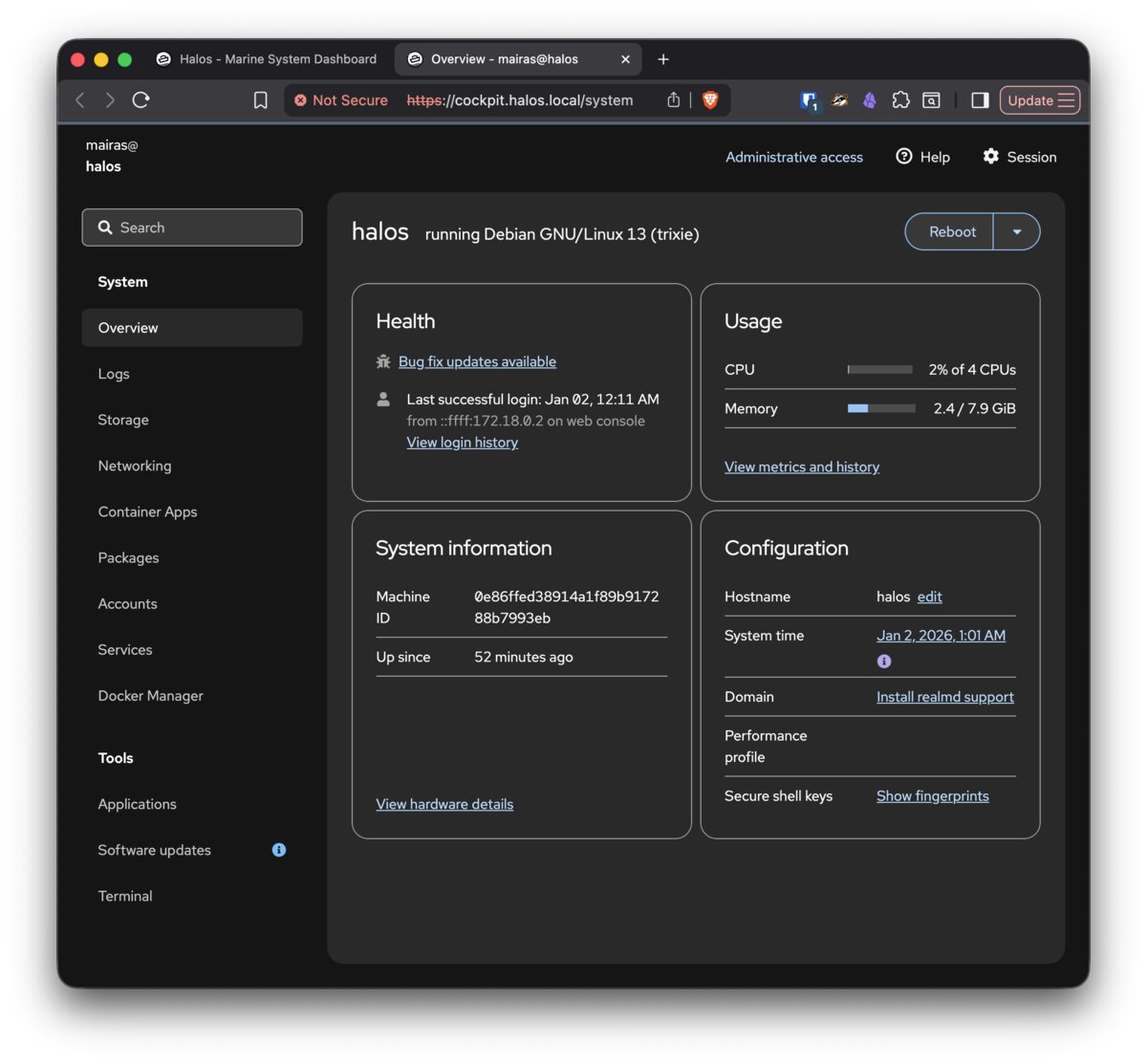
Accessing Cockpit
There are two ways to reach Cockpit:
| Method | URL | Authentication |
|---|---|---|
| Via path redirect | https://halos.local/cockpit/ |
Redirects to port 9090 |
| Direct access | https://halos.local:9090/ |
System credentials (pi / halos) |
Direct access on port 9090 is always available, even if Traefik or Authelia are down. Use it as a fallback for troubleshooting.
Available modules
Overview
System resource monitoring: CPU usage, memory, disk space, and network activity. Shows system information (hostname, OS version, uptime).
Packages
Install and manage Debian packages via APT.
Use this panel — or run sudo apt update && sudo apt upgrade in the terminal — to keep your system up to date.
Terminal
A full command-line terminal in the browser. Useful for running commands without SSH.
Services
View and manage systemd services. You can start, stop, restart, and enable/disable services. Container apps run as systemd services (e.g., signalk-server-container.service), so you can manage them here.
Logs
Browse and filter system logs from journald. Filter by service, priority, or time range to find relevant entries.
Users
Manage Linux system user accounts. This is where you should change the default pi password after first boot.
Sudo password
By default, HaLOS requires a password for sudo commands. This is an upstream Raspberry Pi OS change (Feb 2026), and HaLOS follows their defaults.
If you need passwordless sudo (e.g., for automation or development), you can disable the sudo password requirement.
Security consideration
Disabling the sudo password means any process running as your user can gain root access without a prompt. Only disable it on devices in trusted environments.
Container Apps
Browse and install containerized applications from the HaLOS app store. This is a separate module from the Packages panel — see Installing Apps for the full workflow.
Networking
Configure network interfaces via NetworkManager. See Networking for details on WiFi, Ethernet, and hostname configuration.
System updates
Keep your system current by running updates regularly:
First update after install
Run a system update immediately after first boot. This ensures the container app store has the latest package lists.
Storage
Cockpit shows disk usage and partition information. For Raspberry Pi setups, storage is typically:
- SD card or SSD: Main storage with the OS and all data
- USB drives: Optional additional storage, mountable through Cockpit